How Do I Get Set-Up?
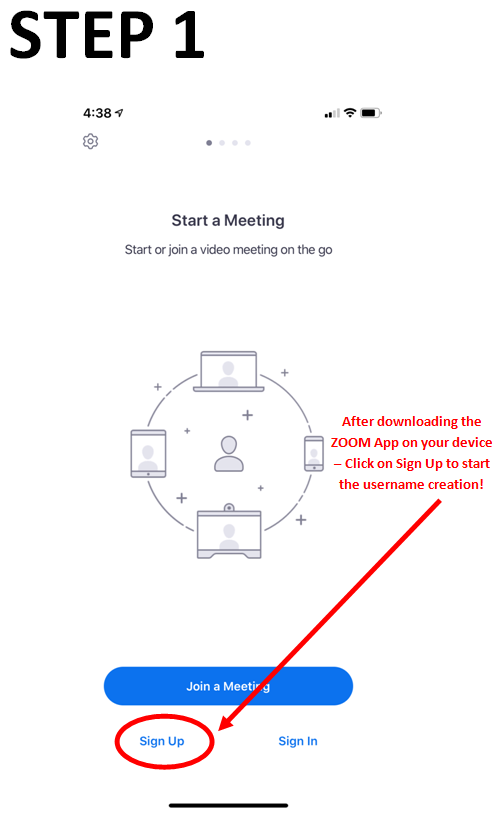
First you need to download and set-up the app ZOOM.
Apple Devices: https://apps.apple.com/us/app/zoom-cloud-meetings/id546505307
Android Devices: https://play.google.com/store/apps/details?id=us.zoom.videomeetings
CLICK HERE FOR TIPS AND TRICKS ON ZOOM!
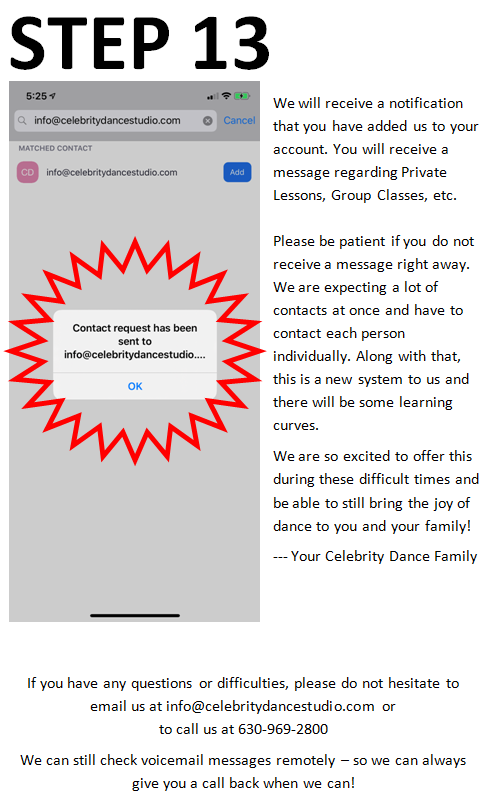
Once you complete the download and setting up an account, you will receive a Welcome Message from the Studio.
All Private/Couple Lessons MUST be scheduled through the Celebrity Dance Studio account (DO NOT directly contact your instructor); scheduling is the same way as we operate normally, the lesson has to be scheduled through the studio for the teacher to receive credit of lesson.
Group Classes will be set with predetermined times and sent out in email, will be on calendar & on our Facebook page.
Best Set-Up Situation
Try to find a hardwood floor or tile to dance on. You want to avoid carpet but if not possible, please dance in socks!
You will want to find a space with a lot of room to be able to move in
Have your device charged or charging during lesson(s); The app does drain your battery
Please put your device on “DO NOT DISTURB” so calls, texts or emails DO NOT interrupt the lesson
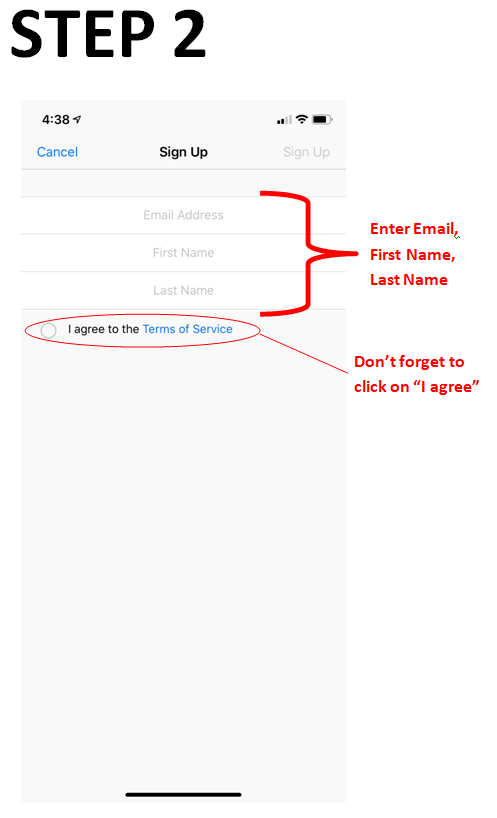
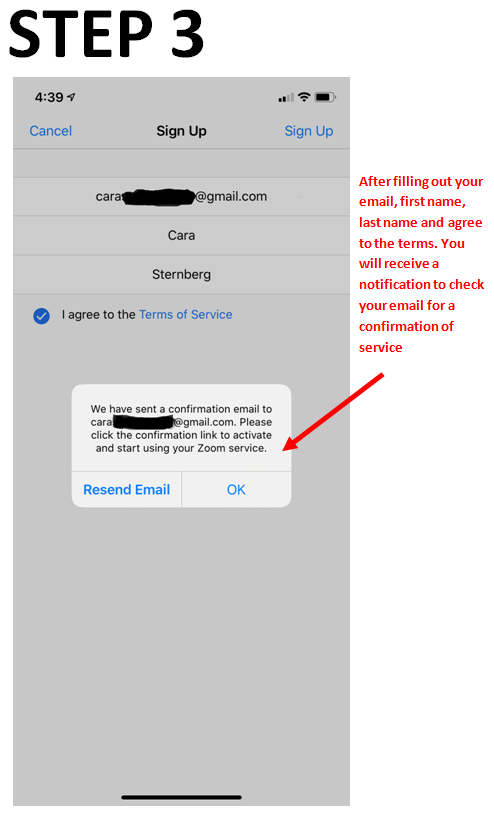
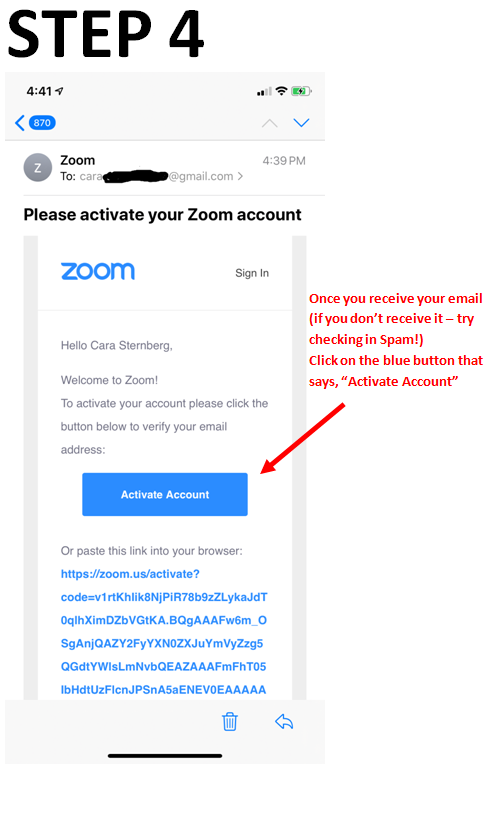
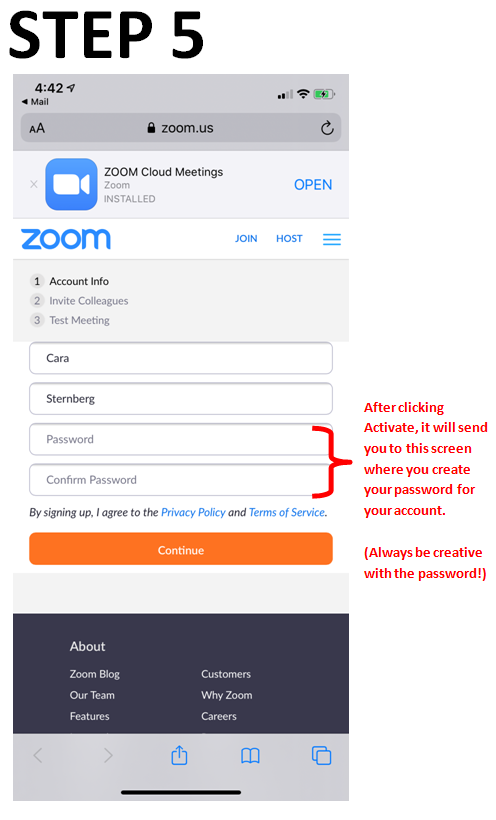
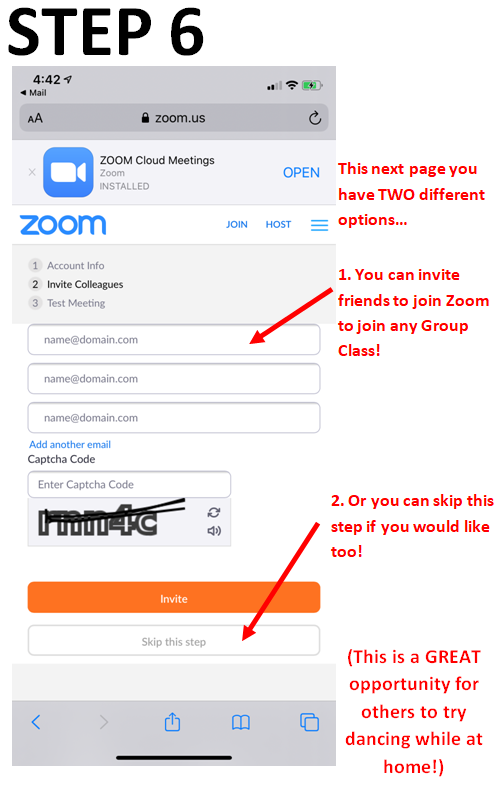
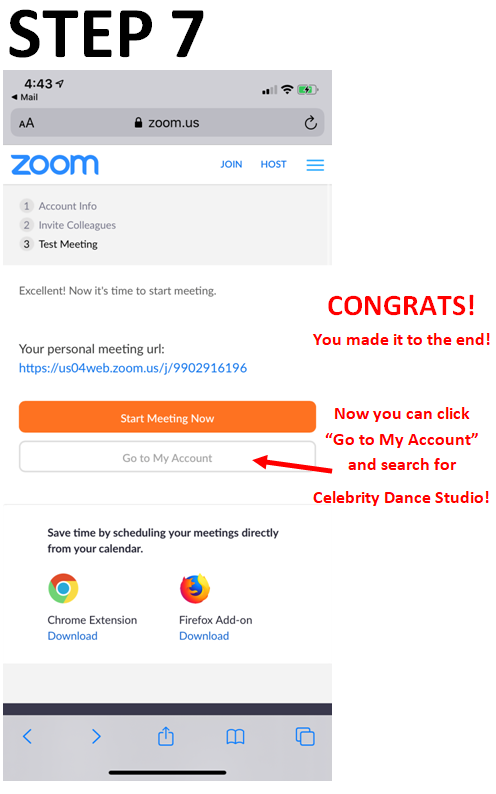
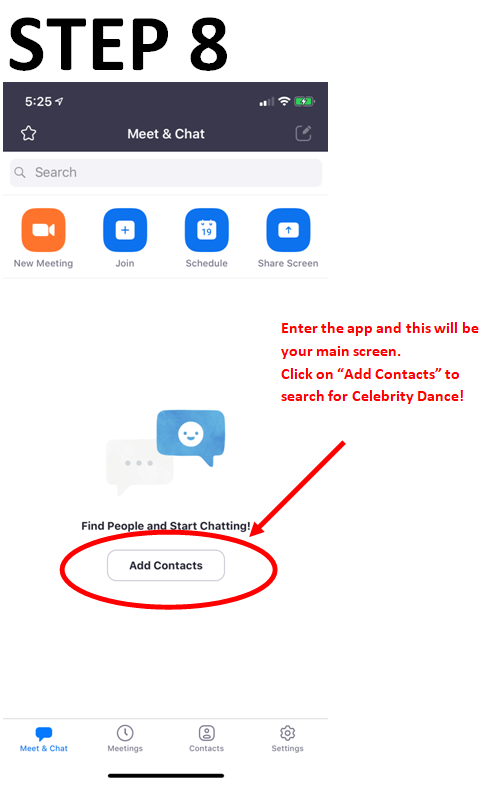
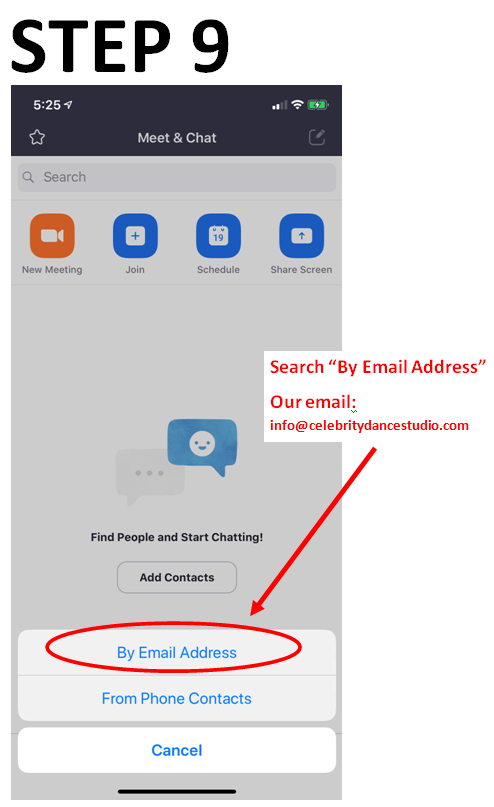
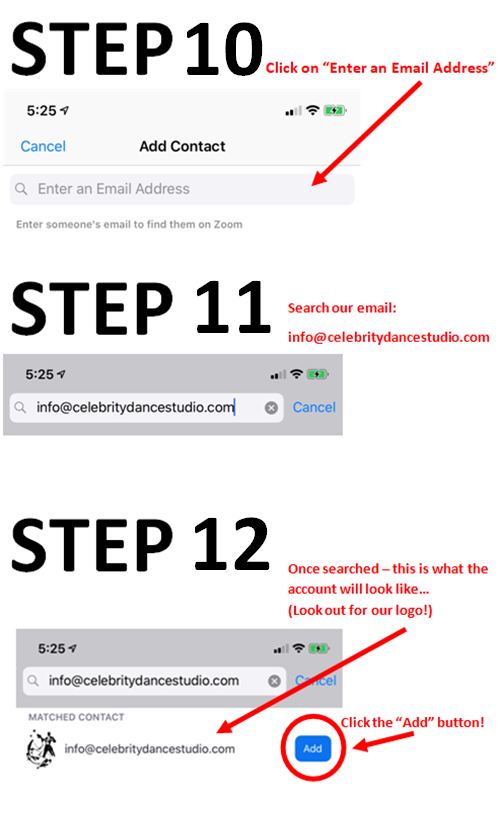
Step-by-Step Instructions
* Your steps MAY be a little different than these! With so many different ELECTRONIC devices, sometimes the steps alter.. So please be patient with the set-up and contact us at [email protected] if you are having any issues and we will try to help you any way we can remotely.*